What you need for a two-player session
- Two supported Android phones, with the game installed and a compatible version.
- An internet connection and completed sign-in on each phone.
- A direct party invitation to choose your partner.
The download is free, with ads and optional purchases. If you are still choosing a type of game, compare mobile play formats for couples.
Set up a party for the two of you
- Install Tied Together! from Google Play on both Android phones and complete sign-in.
- One player opens a party, chooses an empty player place and selects CODE OR LINK.
- Share the six-character party code or invite link with your partner.
- Your partner opens the link or enters the code in the game. Keep the host's party open while they join.
Use a direct invitation to play with a specific person. Quick Match finds one other player and is for two players only. You can also invite your partner through the in-game friend list.
Coordinate jumps around one rope
Each player controls one character with an on-screen joystick and Jump. Rio and Luna move through floating islands, moving platforms and balance crossings. The rope connects your team, so watching your partner's position and timing your jumps matters.
In regular levels, a fall or hazard returns the team to its checkpoint. There are no lives or game-over screens; falls are counted in the level results. You can start any playable level from the menus.
This is a cooperative platforming game: both players work toward the same finish. It suits a pair looking for a shared movement challenge on their own phones.
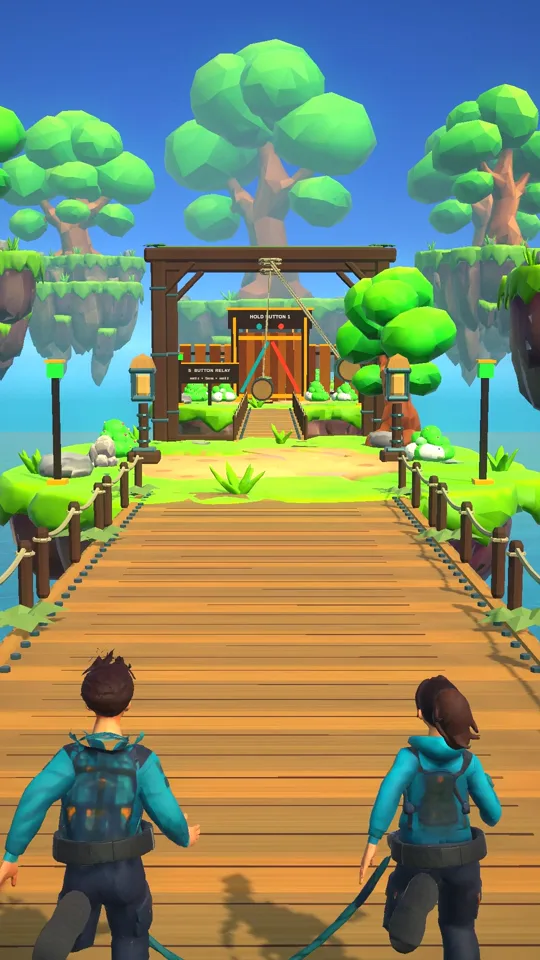
Plan your first crossing together
Wait at a safe point, agree who will move first and watch the rope as you jump. If a crossing goes wrong, use the checkpoint retry to adjust your timing together.
Play in the same room or from different places
The party is online, so you do not have to share a room or a phone. Couples in different locations can join the same party with a code or invite link. Each player needs the game installed, an internet connection and a compatible version.
Agree on a moment to jump and wait for each other at tricky crossings. For remote play, use your usual way of talking with each other while coordinating the route.
Android now; iOS coming soon
Tied Together! is free to download on Google Play for Android, with ads and optional in-app purchases. The iOS version is coming soon and is not publicly available on the App Store yet.
If one of you has an Android phone and the other an iPhone, public Android–iOS play is not available yet. Check the official homepage for the App Store download when iOS is released. No iOS release date is announced here.
Invite friends for a bigger party
For a group of three or four, use a party code, invite link or friend invite. Read the friends multiplayer guide for the full steps and invite troubleshooting.
Questions about playing with your partner
How do I choose my partner instead of a random player?
Create a party and share its six-character code or invite link directly with your partner. Use a private invitation rather than Quick Match, which finds one other player.
Can we play when we are in different places?
Yes. Both players join the same online party on separate phones. Each needs an internet connection, the game installed and a compatible game version.
Can one of us use Android and the other an iPhone?
The Android version is available now. The iOS version is coming soon, so a public Android–iPhone party is not available yet. Check the official website for an App Store download when iOS is released.
What happens if one of us falls?
In regular levels, the team respawns at its checkpoint and can try again. There are no lives or game-over screens. Falls are counted in the level results.